Take the Home tour
The tour walks down the sidebar one stop at a time. Start it from Home and replay it whenever you like.
Before you start
Use MiCal on a computer or a wide screen. The tour points at the sidebar.
Connect at least one calendar. Until then Home shows Start with one calendar and no tour link.
If the Getting set up checklist is showing, hide it first with Hide setup, then reload Home. The checklist replaces the Set up card for your first 30 days.
Steps
On Home, find the Set up card in the right column and select Take the tour.
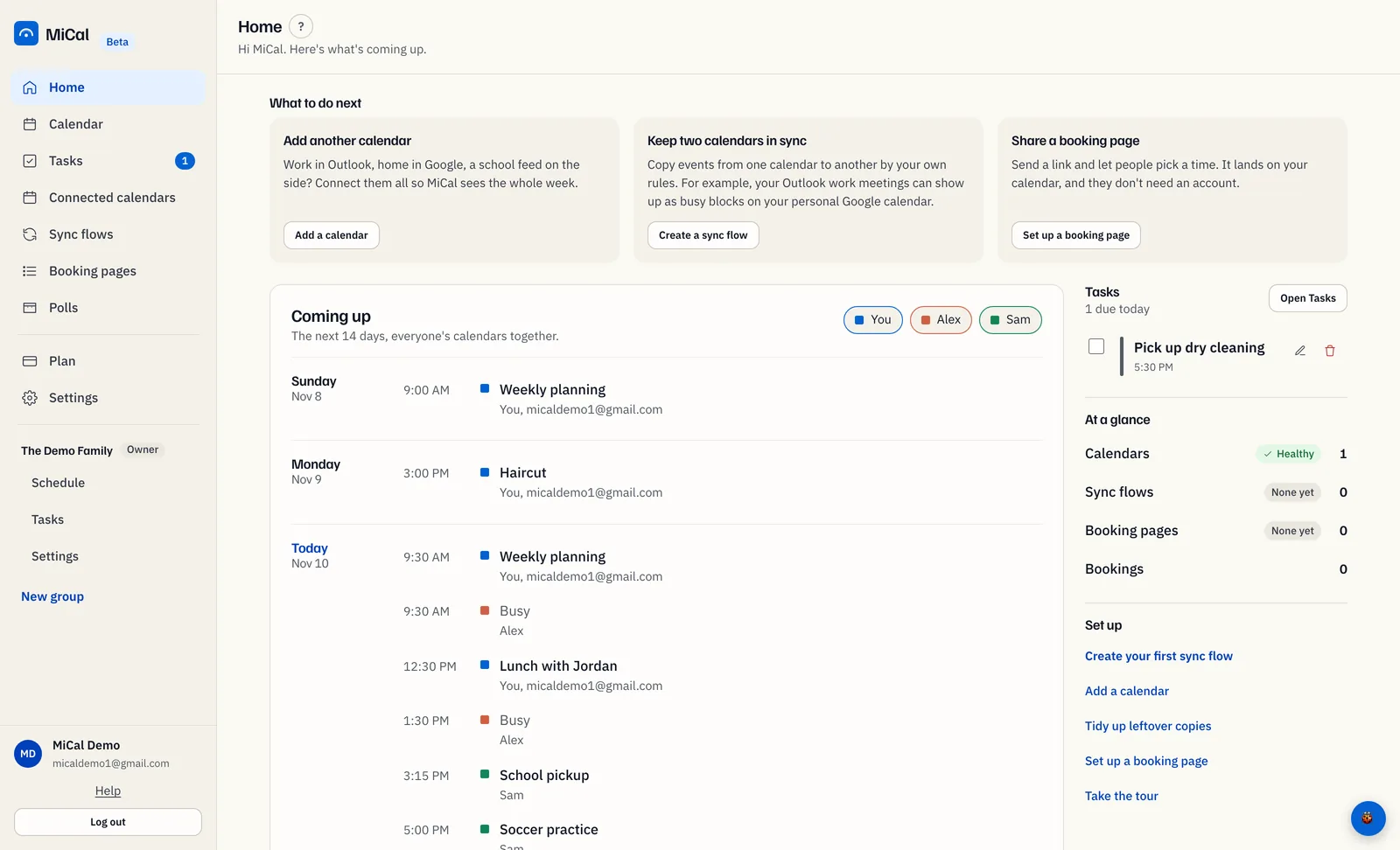
A card shows your place, such as "2 of 5", and points at the matching sidebar item. Each stop opens that page. Select Next to move on, Back to go to the stop before, or Skip tour to end early.
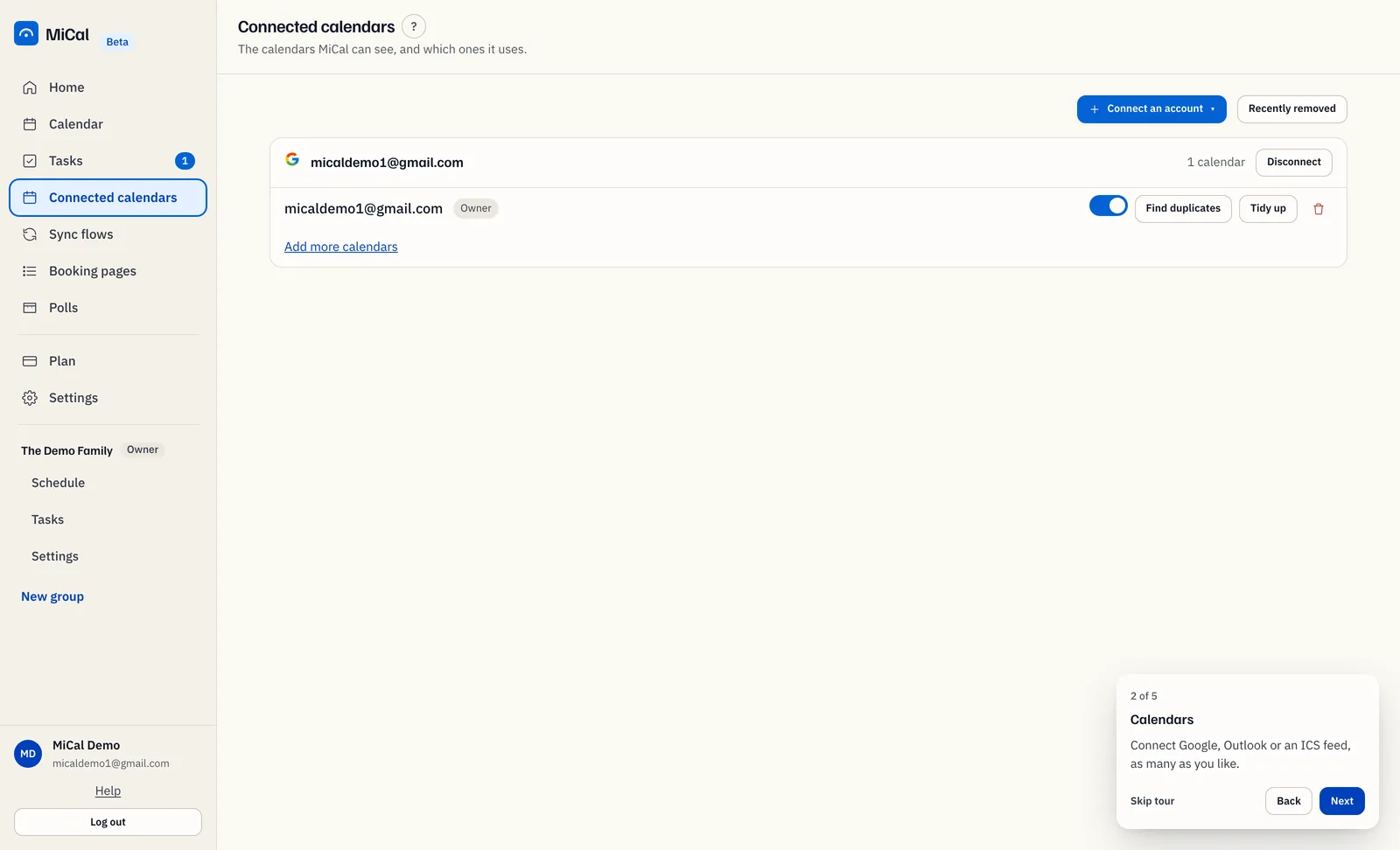
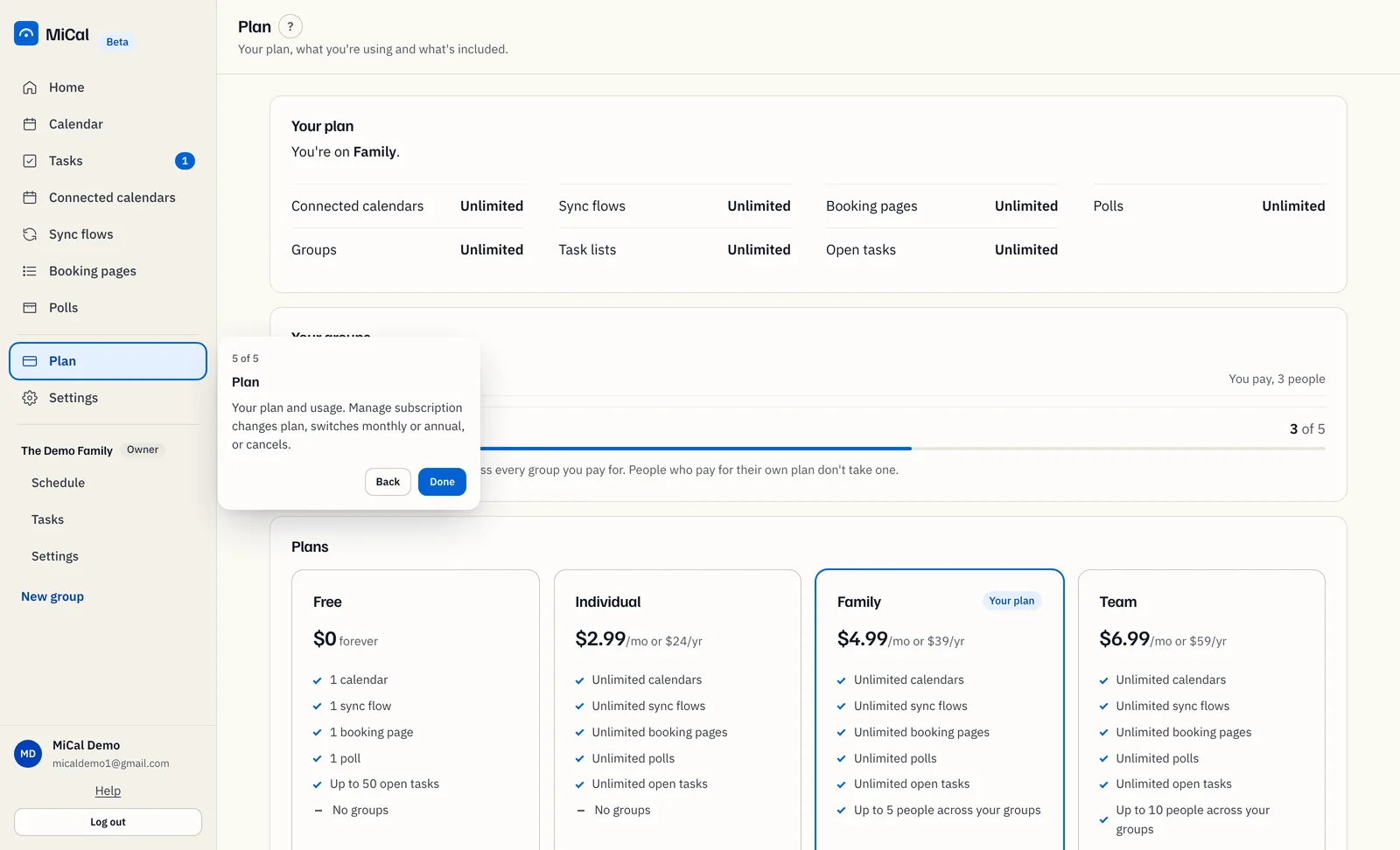
The stops are Home, Calendars, Sync flows, Booking pages, and Plan. On the last stop, select Done. The tour closes and returns you to Home.
Replay the tour
Use the same link: Take the tour in the Set up card on Home.
Notes
Press Escape to close the tour at any stop.
The tour skips any sidebar item that is hidden for you.
The text on the Calendars, Sync flows, and Plan stops depends on your plan.
The tour does not remember whether you finished it.
Still stuck? Email support@mical.net.